

International Money Transfer (IMT) for business
Send international business payments directly to a recipient’s bank account—securely and conveniently through ScotiaConnect®, Scotia OnLine® Digital Banking, or the Scotiabank mobile app.
Why choose Scotiabank IMT for your business?
International Money Transfer helps businesses move money across borders with ease. Send payments from an eligible Canadian dollar business account in major currencies such as USD, INR, EUR, and more—without visiting a branch.
- Great value: Save with lower transaction costs compared to traditional methods and access competitive foreign exchange rates in real time.
- Easy to use: Complete your transfer in a few simple steps through ScotiaConnect®, Scotia OnLine® Digital Banking, or the Scotiabank mobile app.
- Direct to account: Funds are deposited directly into the recipient’s bank account.
- Enhanced monitoring: Transfers are monitored and screened for fraud and unusual activity, so your money moves safely.
Product details
ScotiaConnect® Digital Banking
- Transfer up to $50,000 securely, with no daily, weekly, or monthly limits.
- Send to 20 countries worldwide.
- Payments can arrive in as little as 1–5 business days.
- Transactions undergo sanctions screening and fraud monitoring before
being released. - Detailed transaction reports are available.
Scotia OnLine® Digital Banking and Scotiabank mobile app
- Send up to $15,000 daily and $25,000 weekly, with a minimum transfer of $75.
- Send to up to 71 countries worldwide.
- Payments can arrive in as little as 1–3 business days, depending on destination country and processing requirements.
- Transfers are supported by fraud monitoring and security measures designed to help protect your transactions.
How does International Money Transfer (IMT) for business work?
Through ScotiaConnect® Digital Banking
.png)
Step 1: Create your recipient profile
Add the recipient’s details and assign IMT as the payment type.
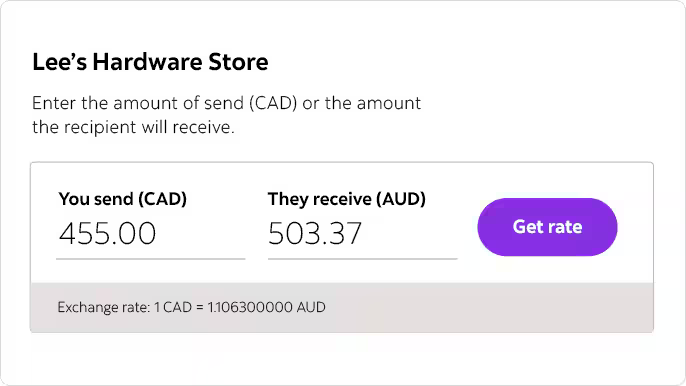
Step 2: Create the payment
Enter the payment amount, currency, and transfer details in the Create Payment flow.
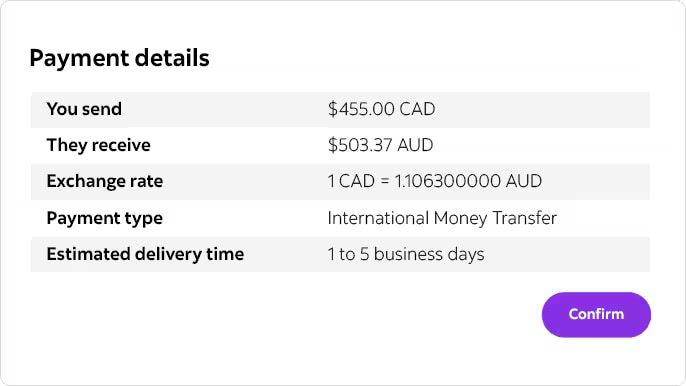
Step 3: Review and confirm
Review the transfer details, accept the quoted foreign exchange rate, and submit the payment for processing.
Don’t have Scotia Connect? Contact us to get started (Find a Business Advisor )
Through Scotia OnLine® Digital Banking or the Scotiabank mobile app
.png)
Step 1: Set up your transfer
- Sign in and go to Move Money.
- Select Send money across the world, choose the destination country, and enter the transfer details.
- Enter the amount and select or add the beneficiary.
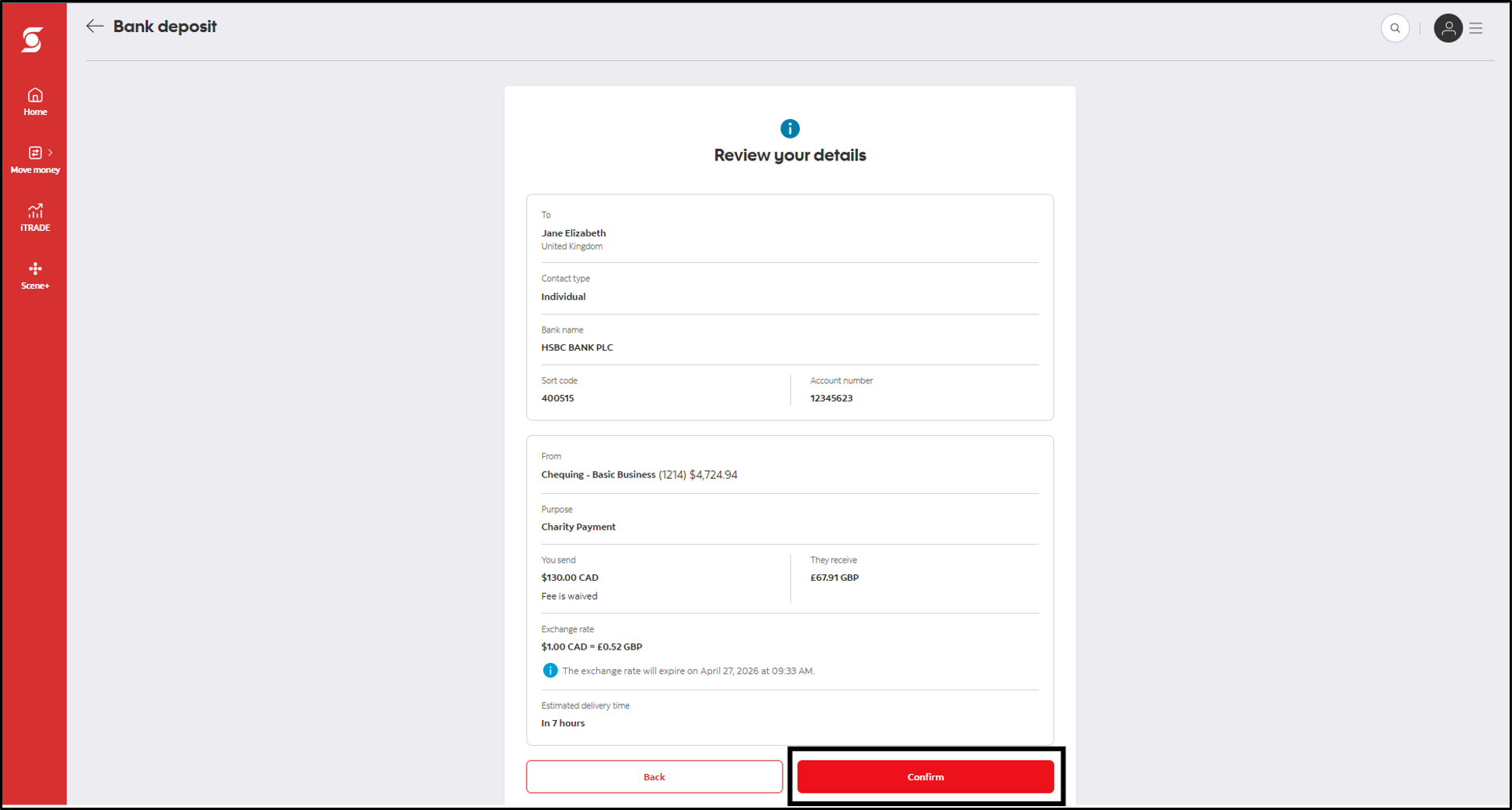
Step 2: Review the transfer details
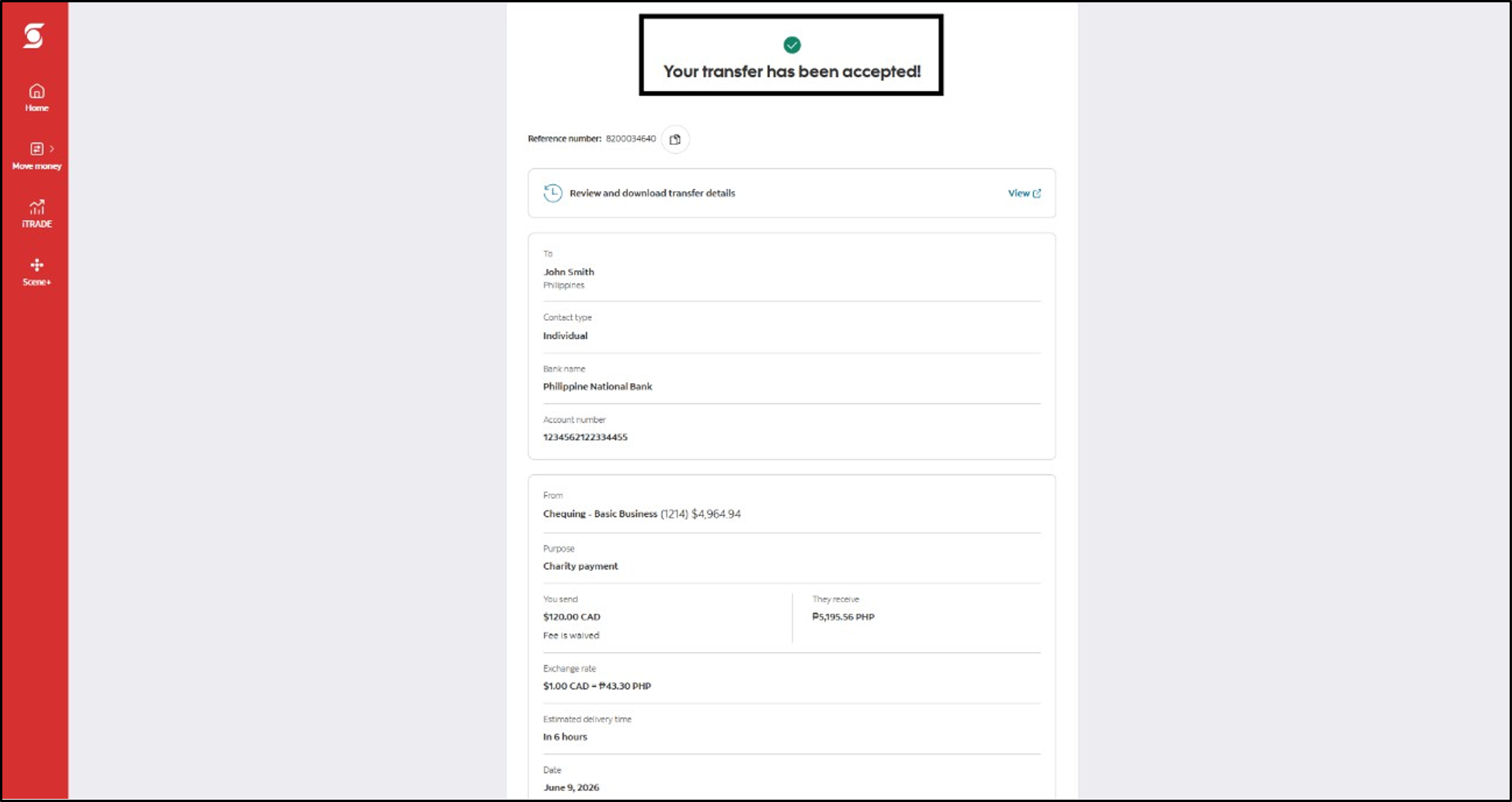
Step 3: Confirm and track your payment
Related services
ScotiaConnect Digital Banking
Enhanced online business banking to approve and submit payments, check balances, EFTs, Wires, and more.
Mobile Deposit
Deposit a cheque with your smartphone.
How can we help?

Phone
Prefer to talk to us

In person
Contact us